
Key Highlights

Duration
36 Months

Hours
800

Method
Full time

Fees
Affordable + EMI Options
Our career counsellor will guide you
Bachelor's Degree in 3D Animation and VFX
The Bachelor’s Degree in Animation and VFX is a comprehensive 36-month professional program designed for aspiring artists, animators, visual effects professionals, and creative storytellers who want to build a successful career in the animation, film, television, gaming, and digital media industries.
This industry-focused program covers the complete animation and visual effects production pipeline, from fundamental art and design principles to advanced 2D/3D animation, modeling, texturing, rigging, lighting, compositing, motion graphics, and visual effects creation. Students gain hands-on experience with industry-standard software and workflows used by leading animation studios, film production houses, gaming companies, and digital content creators.
The program combines creative development with technical expertise, enabling students to create high-quality animated content, visual effects sequences, and digital experiences. Through practical projects, studio-based learning, portfolio development, and industry-oriented assignments, learners develop the skills required to work on professional productions and build a strong creative portfolio.
Upon successful completion, graduates are equipped with the artistic, technical, and production skills needed to pursue rewarding careers in animation, VFX, gaming, motion graphics, multimedia production, and emerging digital entertainment industries.
What Will You Learn in the Bachelor's Degree in 3D Animation and VFX?
Art & Design Fundamentals
- Principles of drawing, sketching, and visual storytelling
- Color theory, composition, and character design
- Perspective, anatomy, and concept art
- Design principles for animation and digital media
Animation Fundamentals
- Principles of animation and movement
- Timing, spacing, squash and stretch, and character acting
- Storyboarding and animatics
- 2D animation techniques and workflows
3D Modeling & Texturing
- Creation of 3D characters, props, and environments
- Polygonal and digital sculpting techniques
- UV mapping and texture creation
- Material and shader development
Character Rigging & Animation
- Character rig creation and setup
- Skeletal systems and animation controls
- Facial rigging and character expressions
- Professional character animation workflows
Lighting, Rendering & Look Development
- Lighting techniques for film and animation
- Camera setup and cinematography concepts
- Rendering workflows and optimization
- Creating realistic and stylized visual outputs
Visual Effects (VFX)
- Compositing and visual effects production
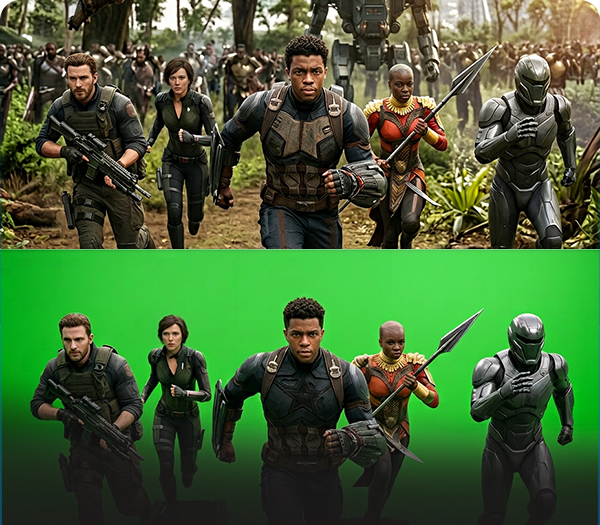
- Green screen keying and matte extraction
- Rotoscoping and motion tracking
- Match moving and camera tracking
- Particle effects, simulations, and advanced VFX techniques
Motion Graphics & Video Editing
- Motion design principles
- Title animation and broadcast graphics
- Video editing and post-production workflows
- Audio synchronization and visual storytelling
Game Art & Real-Time Visualization
- Asset creation for games and interactive media
- Environment design and optimization
- Real-time rendering concepts
- Introduction to game engines and virtual production
Production Pipeline & Industry Workflow
- Pre-production, production, and post-production processes
- Team collaboration and project management
- Industry-standard workflows and best practices
- Quality control and delivery standards
Portfolio Development
- Creation of professional demo reels and showreels
- Portfolio presentation techniques
- Industry project execution
- Personal branding and career preparation
Career-Focused Skills
- Creative problem-solving and visual communication
- Teamwork and production collaboration
- Client and project handling skills
- Professional practices for animation, VFX, and media industries
Program USPs
- Comprehensive 36-month industry-oriented curriculum
- Hands-on training with industry-standard software and tools
- Real-world projects, assignments, and portfolio development
- Exposure to animation, VFX, gaming, and motion graphics workflows
- Expert mentorship from industry professionals
- Job-oriented training with career guidance and placement support
- Development of a professional demo reel and industry-ready portfolio
- Preparation for careers in animation studios, VFX houses, gaming companies, film production, and digital media industries.
Course Curriculum
Semester 1
Paper I: Graphics
- Basics of Sketching & Drawing (with practice)
- The Process of Design
- Sign and Technology
- Text and Typography
- The Shape of Design
- Design in Publishing
- Various Types of Papers
- Packaging & Product Design
- Basics of Printing Technology
- The Production Process
Paper II: Desktop Publishing
(Using CorelDRAW, Photoshop & PageMaker)
- Computer Basics
- Operating System Fundamentals
- Basic Designing Software
- Vector Graphics Design & Editing
- Color Theory
- Text Formatting
- Raster Graphics Design & Editing
- Page Layout and Publishing
Paper III: Digital Art Photography
- The Exploration Stage
- Selection and Treatment
- Execution, Installation & Presentation
- Digital Photography Fundamentals
- Inside the Digital Camera
- Principles of Photography
- Managing Digital Assets
Semester 2
Paper I: Digital Photography (Part II)
- Beyond the Basics
- Photographing People
- Product Photography
- Interior & Exterior Photography
- Action and Sports Photography
- Complete Photo Shoot Workflow
Paper II: Transferring Digital Photographs
- Transfer Devices
- Bluetooth & Wireless Transfer
- Data Cable Transfer
- Pen Drive & Storage Media
- VCD/DVD Burning and Archiving
Paper III: Advertising
- Social and Economic Aspects of Advertising
- Product Life Cycle & Advertising
- Advertising as a Communication Tool
- Media Selection & Media Planning
- Advertisement Campaigns
- Advertisement Budgeting
- Advertisement Copy & Layout Design
- Production Techniques
- Advertising Regulations in India
Semester 3
Paper I: Fundamentals of Web Designing & JavaScript
- Fundamentals of Web Design
- Principles of Web Design
- Getting Started with Web Designing
- Introduction to JavaScript
- Script Analysis and Event Handlers
- Working with Complete Scripts
Paper II: HTML Basics
- ABCs of HTML
- Tables and Layouts
- Creating Complete Web Pages
Paper III: 2D Animation
- Introduction to Flash Animation
- Symbols and Layers
- Frame-by-Frame Animation
- Effects and Enhancements
- Creating Interactive Animations
- Motion Graphics for Web
- Advanced Animation Techniques
- Creative Animation Projects
Semester 4
Paper I: Flash Website Design
- The New Paradigm
- Design and Construction
- Interface, Navigation & Structure
- Stage, Transitions & Behaviors
- Framing and Usability
- Future of Flash Site Design
Paper II: 3D Introduction & Advanced (Modeling & Animation) – Part I
- Understanding 3D Space
- Solid Modeling Techniques
- Texture and Surface Styles
- Lighting Fundamentals
- Virtual Camera Movement
- Dummy Properties and Controls
Paper III: 3D Introduction & Advanced (Modeling & Animation) – Part II
- Animation for Multimedia & Virtual Reality
- Advanced Modeling Techniques
- Advanced Lighting Effects
- Advanced Animation Workflows
- Architectural Modeling
- Industrial Modeling & Animation
- Preparation for Multimedia Development
Semester 5
Paper I: Video Introduction & Advanced
- Creating Digital Videos
- Camera Types and Movements
- Lens Types and Applications
- Visual Storytelling
- Uses of Digital Video
Paper II: Digital Editing
- Fundamentals of Video Editing
- Transition Effects
- Editing Workflow
- Finishing and Exporting Projects
Paper III: Sound Editing
- Introduction to Audio Production
- Linking and Managing Audio Files
- Recording and Editing Audio Clips
- Sound Effects and Enhancement
- Audio Finalization and Delivery
Semester 6
Paper I: Script Writing & Storyboard Designing
- Introduction to Scriptwriting
- Screenplay and Teleplay Writing
- Scriptwriting for Short Films
- Scriptwriting for Feature Films
- Developing Original Scripts
- Storyboarding Techniques
- Steps in Storyboard Creation
Paper II: Realistic Concepts of Animation & Special Effects
- Animated vs Realistic Animation
- Timing and Motion
- Character Movement Principles
- Frame-Based Animation
- Environmental Effects
- Morphing Techniques
- Special Effects Production
Paper III: Director Basics
- Introduction to Direction
- Animation and Interactivity
- Planning and Implementation
- Learning Lingo and Variables
- Web Integration and Reusable Behaviors
- Publishing in Shockwave
Paper IV: Practical Project
- Animation Production Project
- Visual Effects Project
- Storyboard & Script Development
- Final Portfolio Creation
- Showreel Presentation
Final Year Project & Portfolio Development
- Short Animation Film Production
- 3D Modeling and Animation Project
- Visual Effects Production
- Motion Graphics Project
- Professional Showreel Creation
- Industry Portfolio Presentation
- Internship / Industry Exposure
This curriculum provides training in Graphics Design, Photography, Web Design, 2D Animation, 3D Animation, Video Editing, Sound Editing, Script Writing, Storyboarding, Visual Effects, and Multimedia Production, preparing students for careers in animation studios, VFX companies, gaming studios, advertising agencies, film production houses, and digital media organizations.
Software & Tools Covered
The B.Sc. in Artificial Intelligence program provides hands-on training with industry-standard programming languages, AI frameworks, development environments, and productivity tools used in modern AI and data-driven industries.
Graphic Design & Digital Imaging
- Adobe Photoshop
- CorelDRAW
- Adobe Illustrator
- Adobe InDesign
- PageMaker
Digital Photography & Image Processing
- Adobe Photoshop
- Adobe Lightroom
- Camera Raw
- Digital Photography Workflow Tools
Web Design & Interactive Media
- HTML & CSS
- JavaScript
- Adobe Dreamweaver
- Adobe Flash / Adobe Animate
- Web Publishing Tools
2D Animation & Motion Graphics
- Adobe Animate (Flash)
- Adobe After Effects
- Toon Boom Harmony (Introduction)
- Motion Graphics Workflow Tools
3D Modeling & Animation
- Autodesk Maya
- Autodesk 3ds Max
- Blender
- ZBrush (Introduction)
Texturing, Lighting & Rendering
- Autodesk Arnold Renderer
- V-Ray
- Mental Ray (Concepts)
- Substance Painter (Introduction)
Video Editing & Post-Production
- Adobe Premiere Pro
- Adobe After Effects
- Adobe Media Encoder
Sound Editing & Audio Production
- Adobe Audition
- Audacity
- Sound Processing Tools
Visual Effects (VFX) & Compositing
- Adobe After Effects
- Blackmagic Fusion
- Foundry Nuke (Introduction)
- Mocha Tracking Tools
Multimedia & Interactive Development
- Adobe Director
- Shockwave Publishing Tools
- Interactive Media Authoring Tools
Portfolio & Production Management
- Microsoft Office Tools
- Google Workspace
- Project Presentation Tools
- Digital Portfolio Development Platforms
Key Skills Developed Using These Tools
- Graphic Design & Digital Illustration
- Photography & Image Editing
- Web Design & Interactive Media Development
- 2D & 3D Animation Production
- Character Modeling & Animation
- Motion Graphics & Visual Storytelling
- Video Editing & Audio Post-Production
- Visual Effects & Compositing
- Portfolio & Showreel Development
- Industry Production Workflow Management
These tools ensure students are trained according to current industry standards and are prepared for careers in Animation, VFX, Graphic Design, Motion Graphics, Video Editing, Multimedia Development, Gaming, and Digital Content Creation.
Applicable Jobs After Completing the Bachelor's Degree in 3D Animation and VFX
Graduates of the Bachelor’s Degree in Animation and VFX can pursue a wide range of creative and technical roles across animation studios, VFX companies, gaming studios, advertising agencies, film production houses, television networks, OTT platforms, and digital media organizations.
Animation Careers
- 2D Animator
- 3D Animator
- Character Animator
- Creature Animator
- Motion Graphics Artist
- Animation Artist
- Storyboard Artist
- Layout Artist
Design & Creative Careers
- Graphic Designer
- Visual Designer
- Digital Artist
- Concept Artist
- Character Designer
- Environment Artist
- Creative Designer
- Multimedia Designer
3D Production Careers
- 3D Modeler
- Character Modeler
- Environment Modeler
- Texture Artist
- Lighting Artist
- Rendering Artist
- Look Development Artist
- Asset Creation Artist
Visual Effects (VFX) Careers
- VFX Artist
- Compositing Artist
- Rotoscope Artist
- Matchmove Artist
- Motion Tracking Artist
- FX Artist
- Cleanup Artist
- VFX Production Assistant
Video & Post-Production Careers
- Video Editor
- Assistant Video Editor
- Motion Graphics Designer
- Post-Production Artist
- Broadcast Design Artist
- Content Creator
- Multimedia Editor
Gaming & Interactive Media Careers
- Game Artist
- 3D Game Asset Artist
- Environment Artist
- Character Artist
- Interactive Media Designer
- AR/VR Content Artist
- Real-Time Visualization Artist
Photography & Digital Media Careers
- Digital Photographer
- Photo Editor
- Visual Content Creator
- Advertising Designer
- Digital Marketing Creative Executive
Web & Multimedia Careers
- Multimedia Developer
- Interactive Media Designer
- Web Graphics Designer
- Digital Content Developer
Advanced Career Opportunities
With experience and specialization, graduates can progress to roles such as:
- Senior Animator
- Lead 3D Artist
- Lead VFX Artist
- Animation Supervisor
- VFX Supervisor
- Creative Director
- Art Director
- Production Manager
- Studio Head
- Animation Film Maker
- Entrepreneur / Studio Owner
Industries Hiring Animation & VFX Graduates
- Animation Studios
- VFX & Post-Production Companies
- Film & Television Production Houses
- OTT & Streaming Platforms
- Gaming Studios
- Advertising Agencies
- Digital Marketing Companies
- E-Learning & EdTech Companies
- Architectural Visualization Firms
- AR/VR & Metaverse Companies
- Multimedia & Web Development Companies
- Freelancing and Independent Content Creation
Career Scope
The animation and VFX industry continues to grow rapidly due to increasing demand for digital content, films, OTT productions, gaming, advertising, virtual production, and immersive technologies. This degree equips students with the creative, technical, and production skills required to build successful careers in the global media and entertainment industry.
Bachelor's Degree3D ANIMATION AND VFX
A complete BSc in 3D Animation & VFX in Mumbai, from your first sketch to your final VFX shot.

36 months
Full-time course

25+ industry tools
Maya, Nuke, Blender, and more

Demo reel + portfolio
Your proof of work, ready to show

100% placement assistance
Career guidance and placement support

Affordable fees + EMI options
Flexible payment options

Eligibility
12th Pass in any stream
Bachelor's Degree in Animation and VFX - What You Will Actually Be Able to Do in Three Years
In three years you will take a story from a rough storyboard to a finished, rendered, graded and mixed film. Not one part of it. You will learn 3D character modelling, visual storytelling, and every stage between them. Instead of learning just one part of the process, you will understand how the complete animation and VFX production pipeline works.
You learn by doing, every module ends with a project reviewed in class. It suits someone ready to spend three years on the full pipeline.
Graduates can pursue opportunities across animation studios, VFX houses, film and TV production, OTT platforms, gaming studios, and advertising agencies.
What You Will Learn in This BSc in Animation and VFX
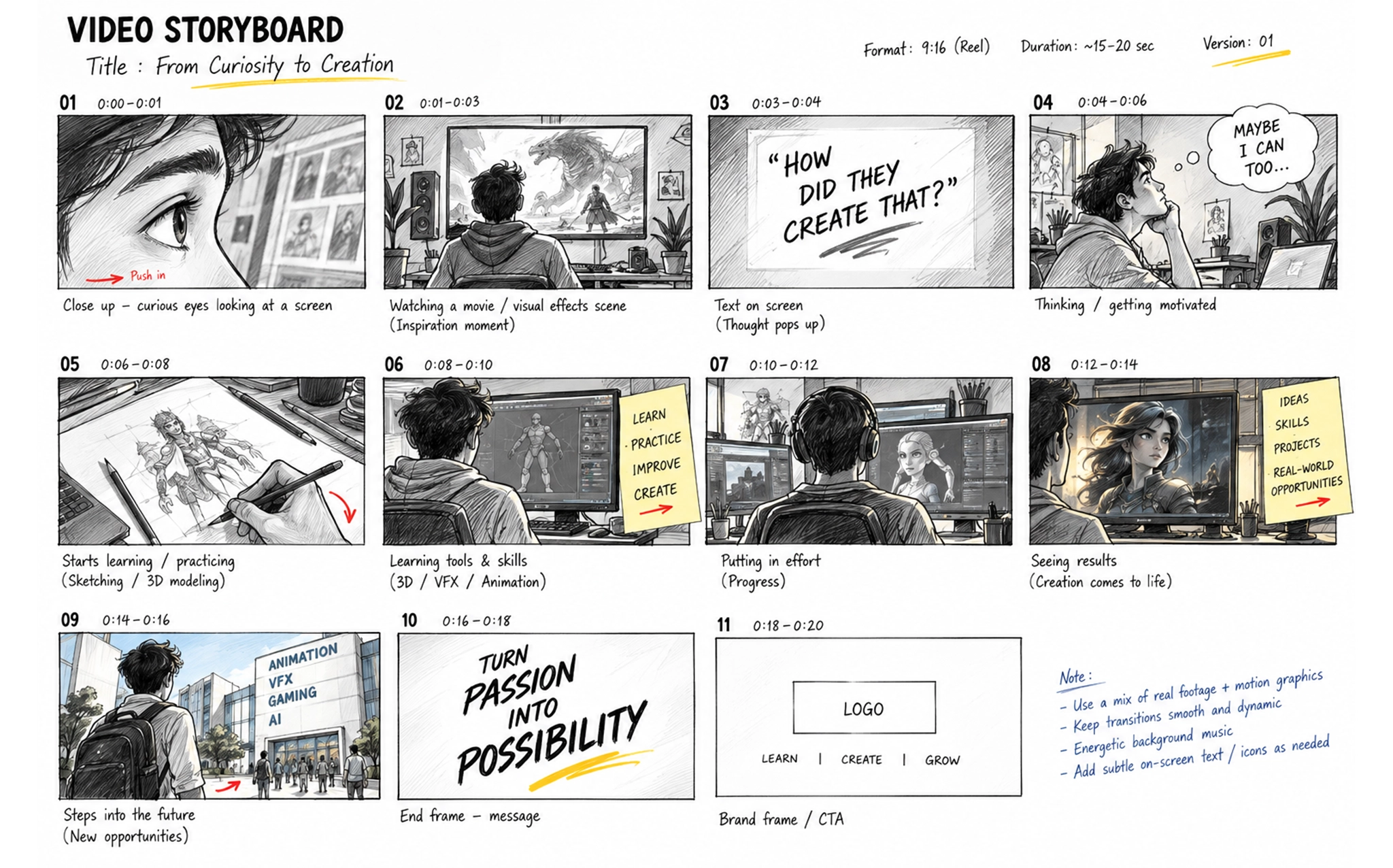
Sketch characters and tell stories through visual storytelling
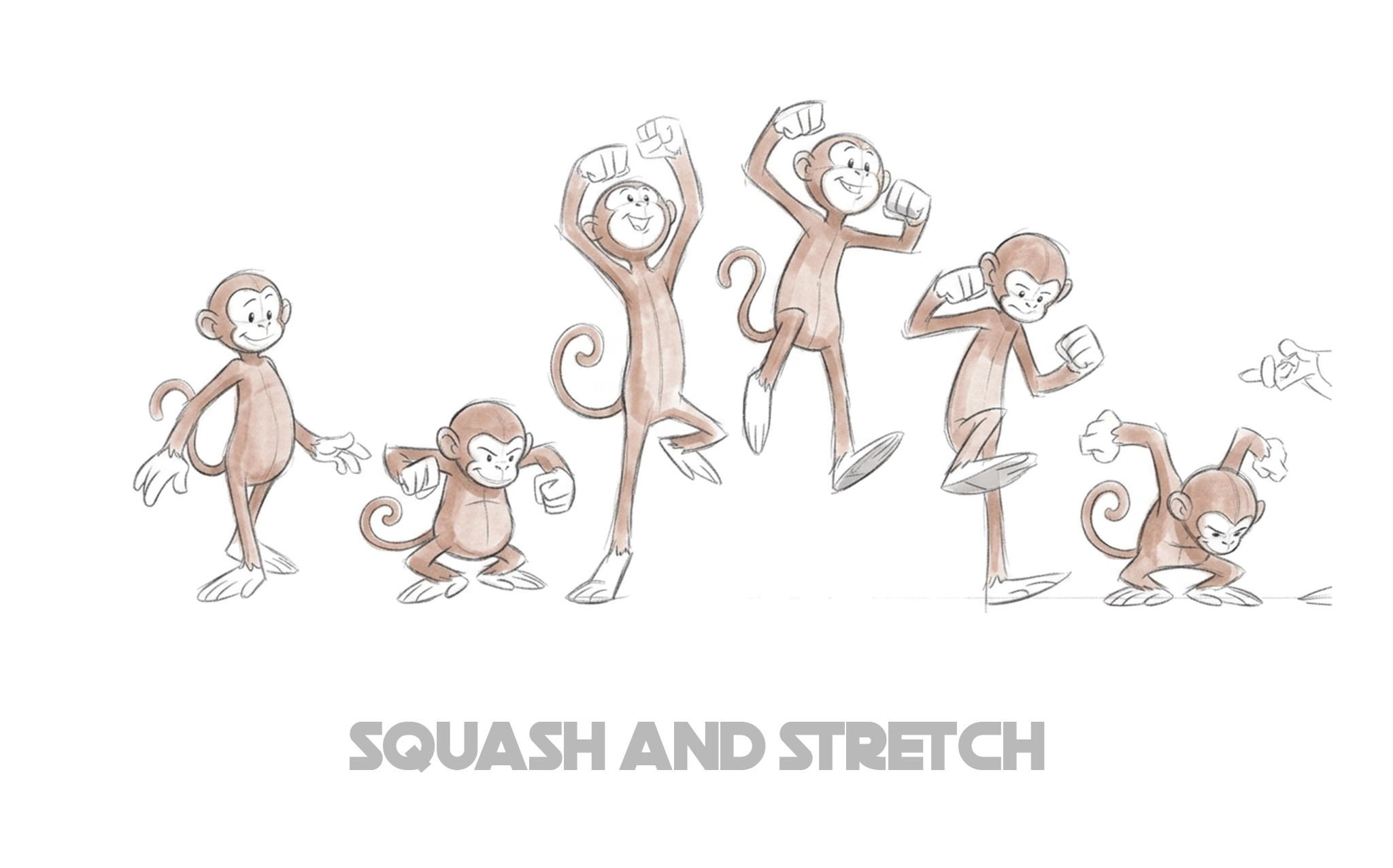
Animate movement and acting with timing and squash and stretch
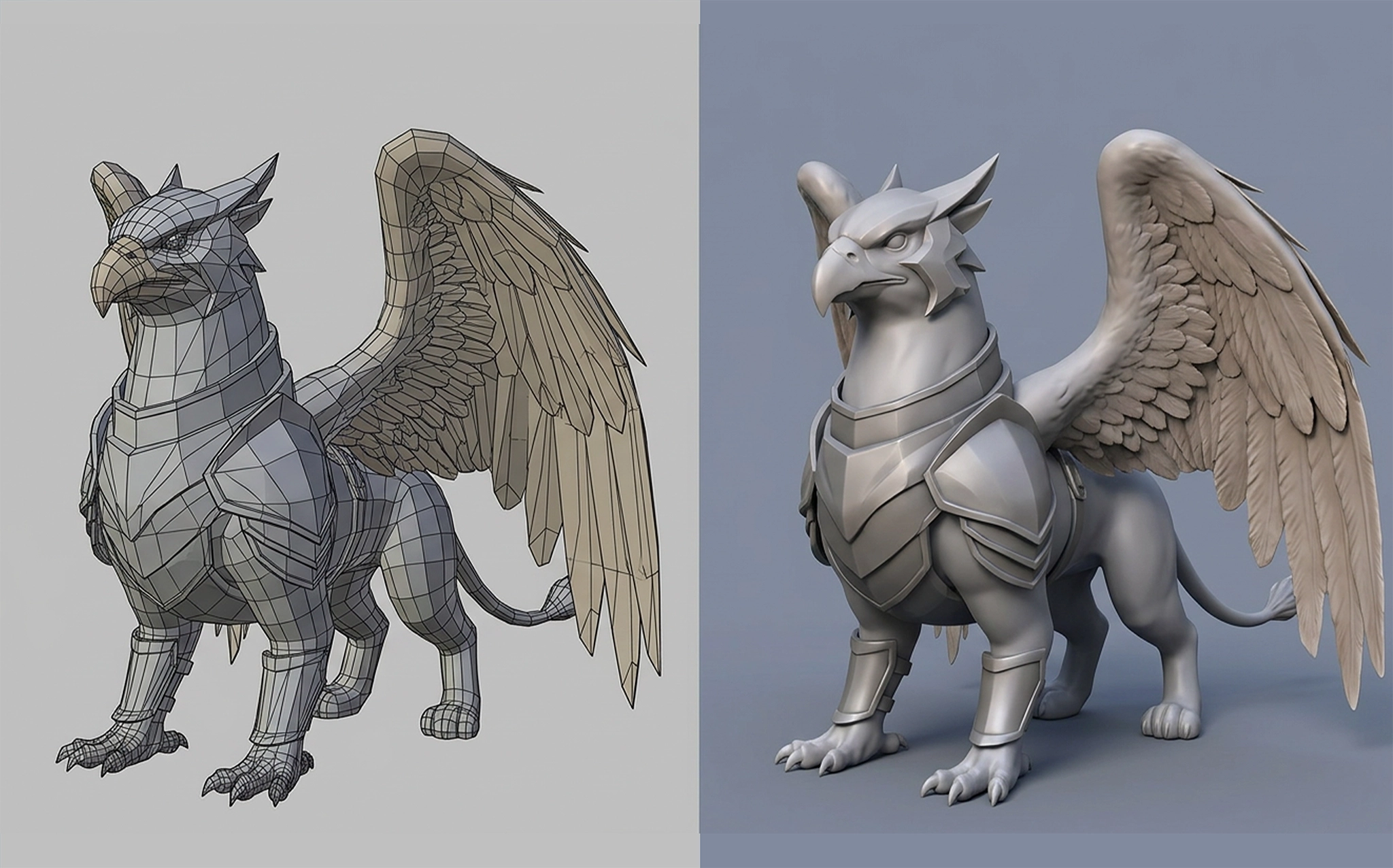
Model and texture characters with 3D character modelling
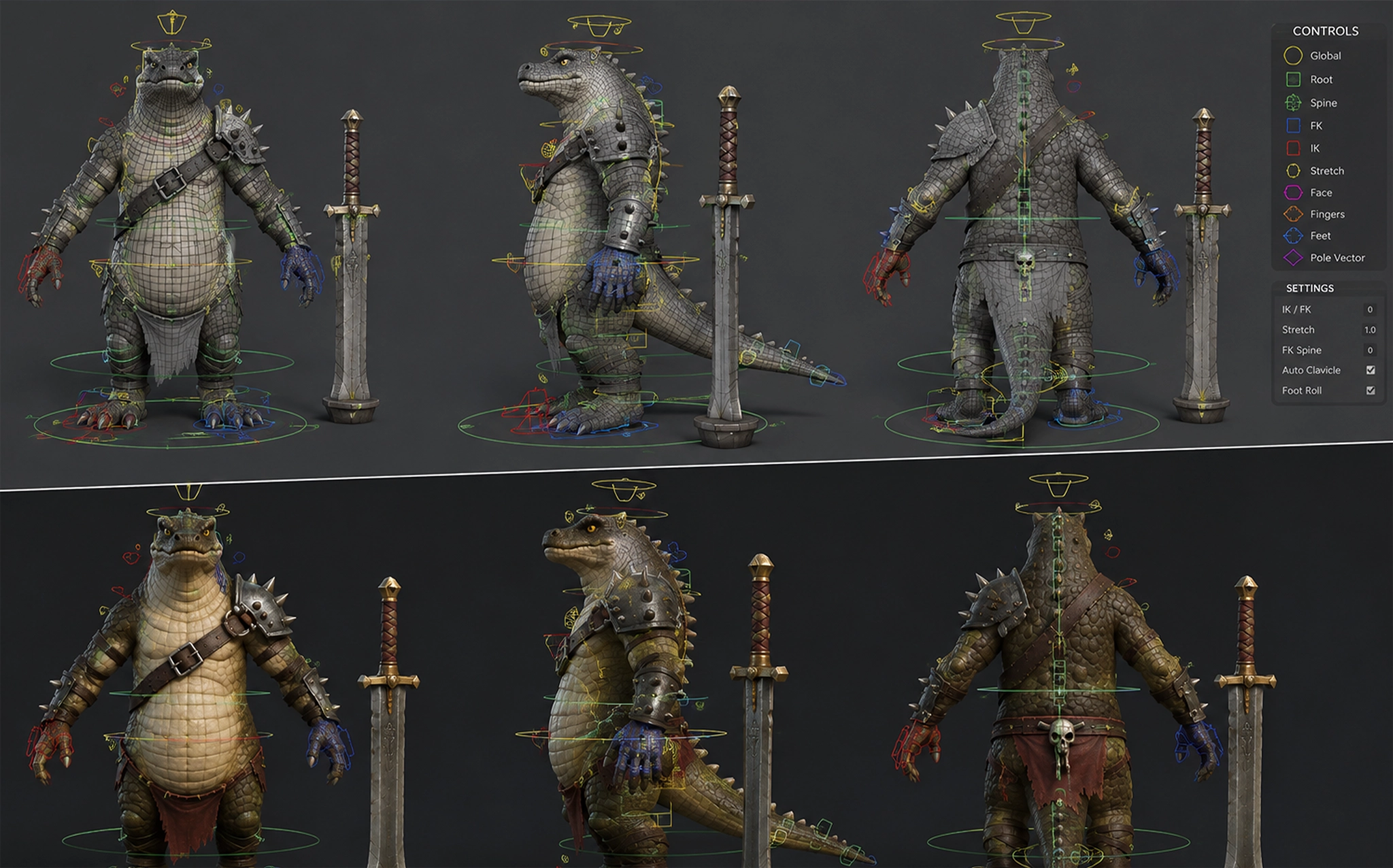
Rig a character's skeleton and face for animation
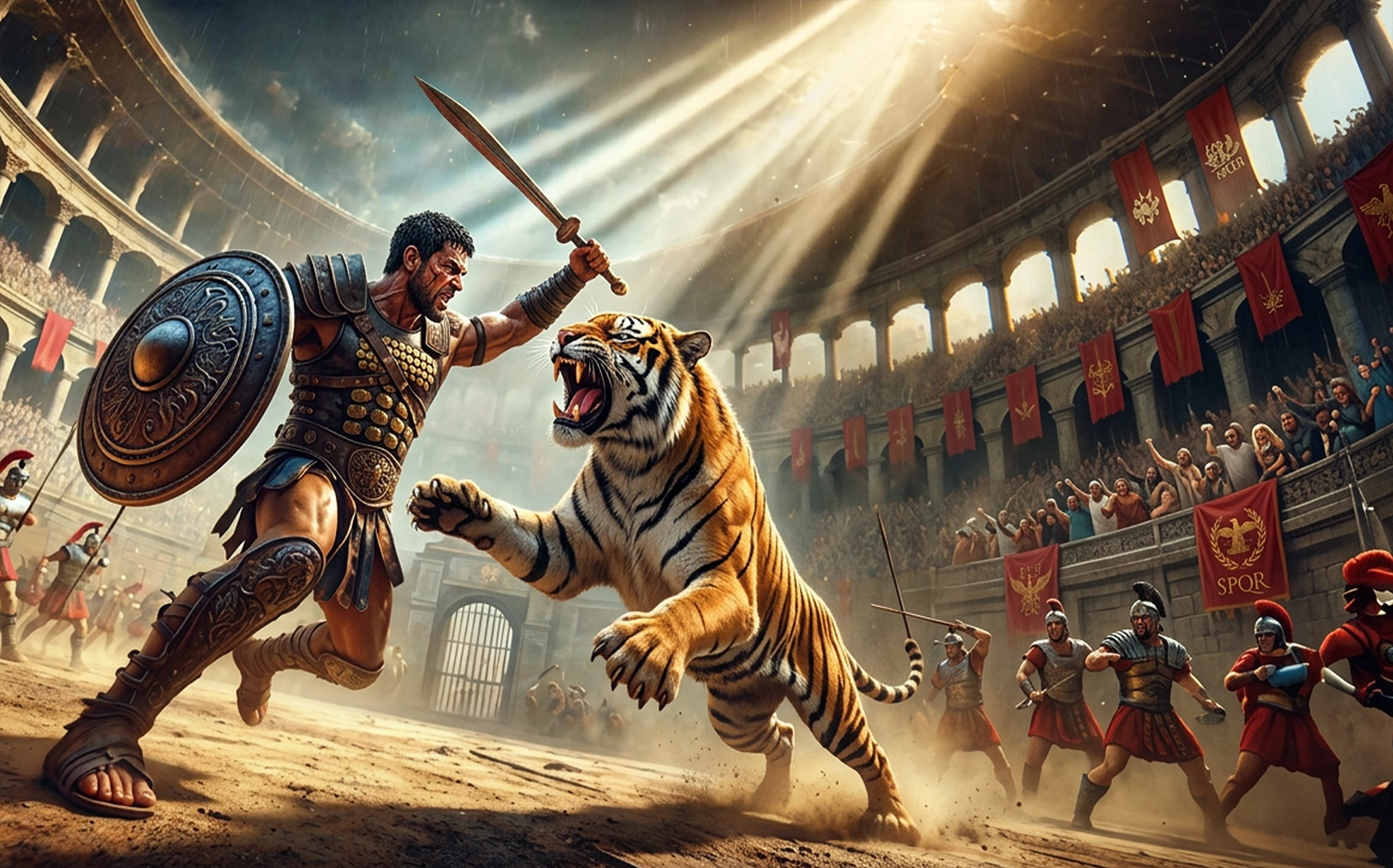
Light, render, and set camera shots like a film
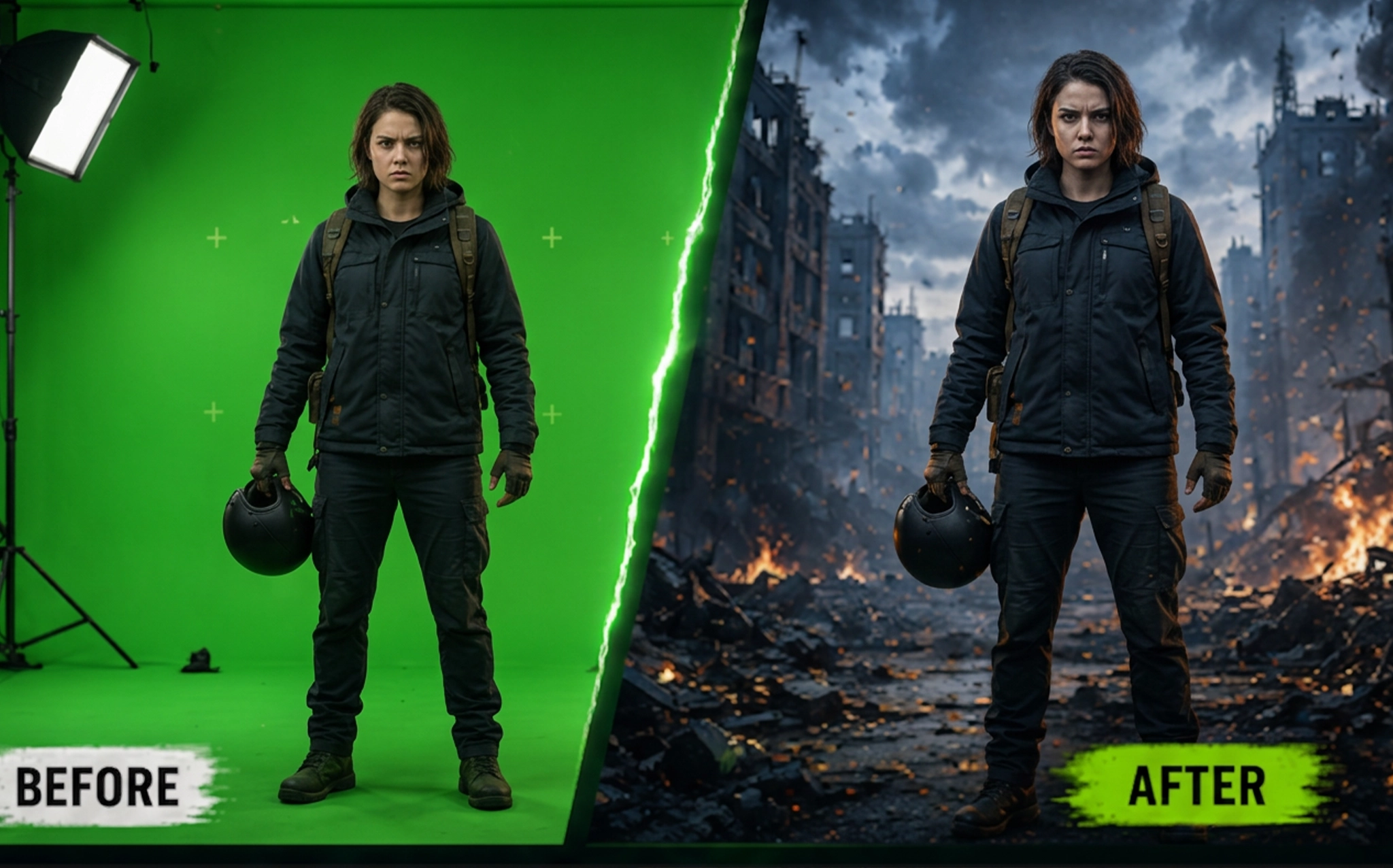
Composite, key, and track VFX like a post house
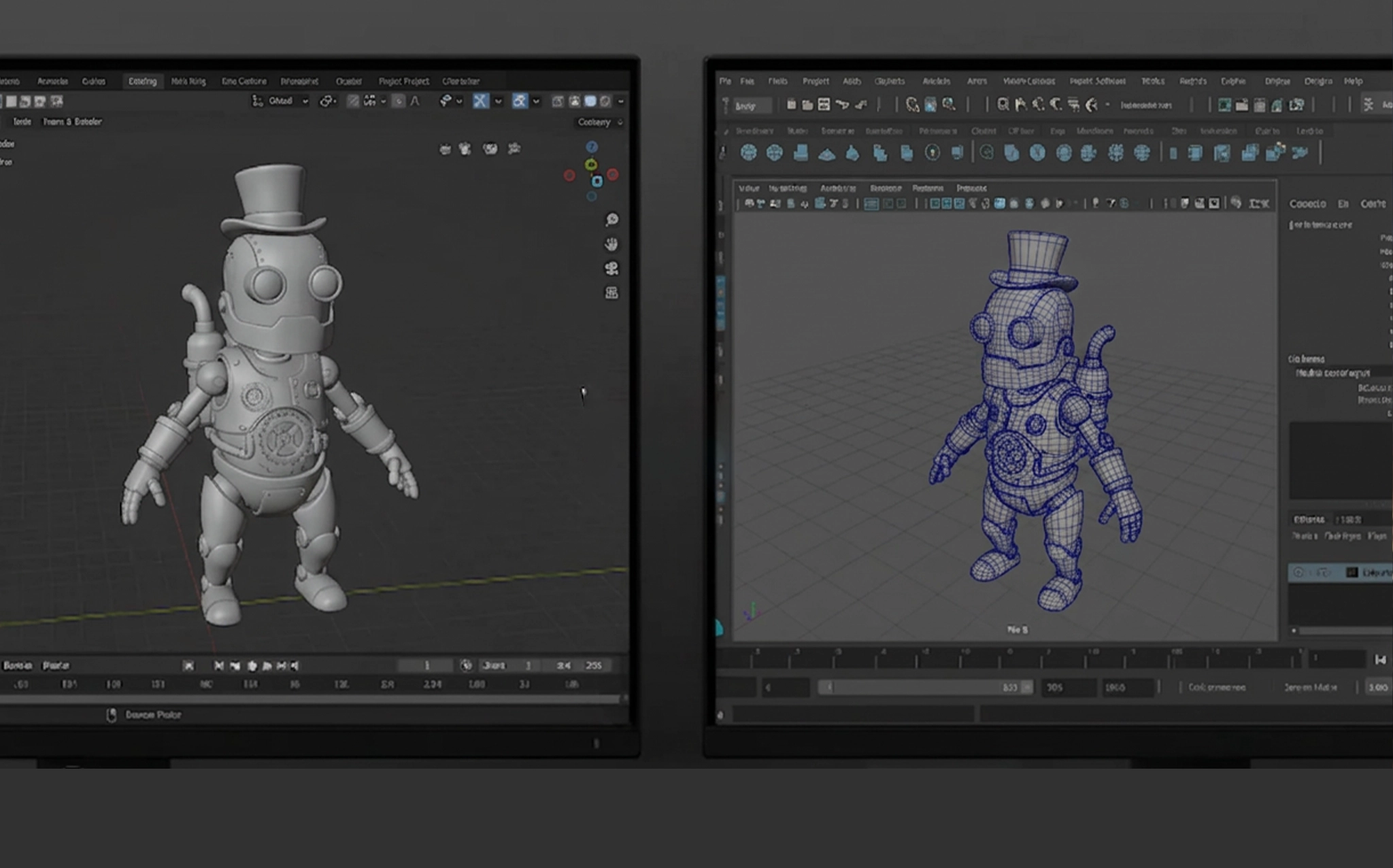
Work with 3D animation software like Maya and Blender
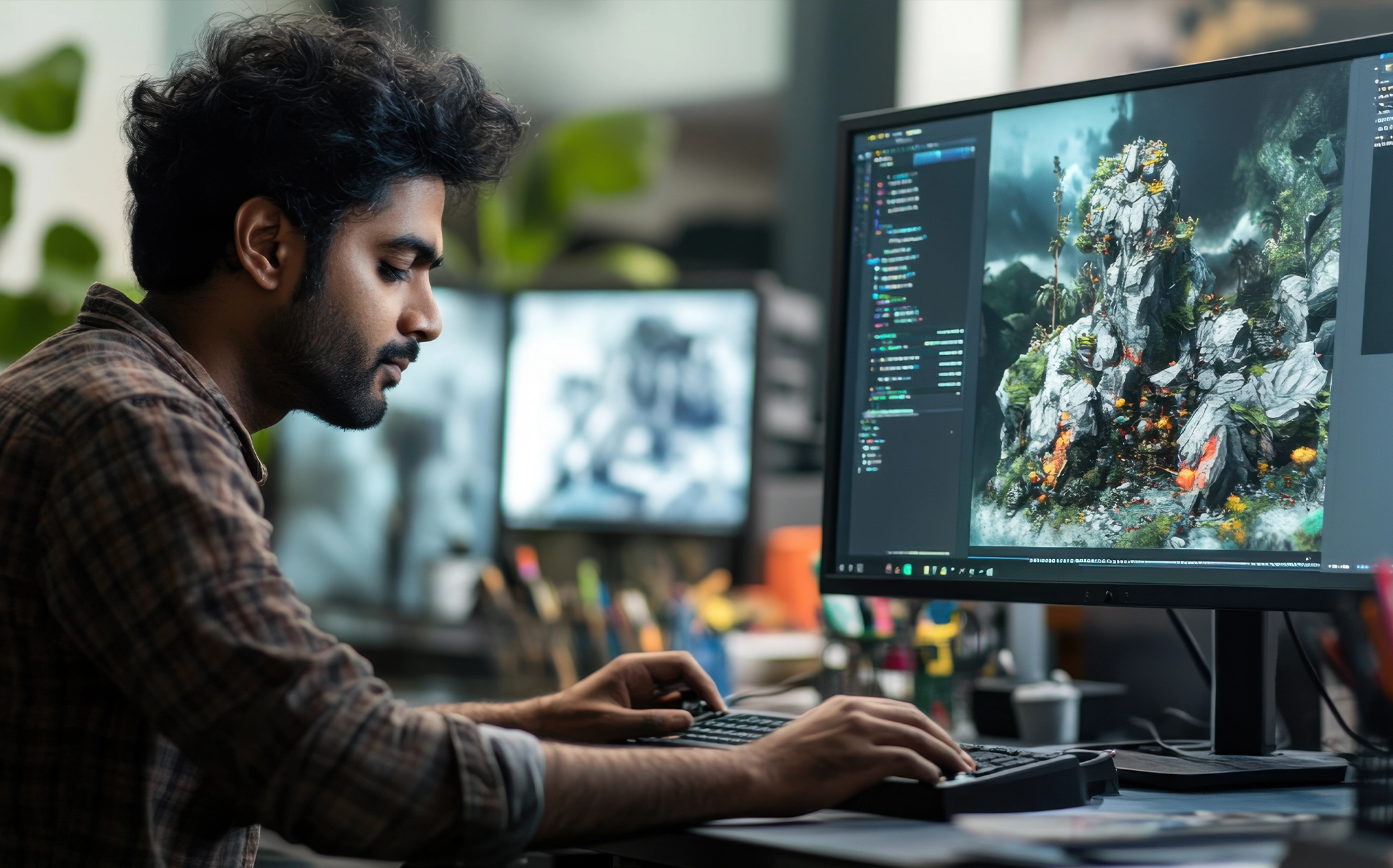
Finish with a full pipeline and a hire-ready showreel
From First Sketch to Final Render - BSc in AI Curriculum
Semester 1
Paper I: Graphics
- Basics of Sketching & Drawing (with practice)
- The Process of Design
- Sign and Technology
- Text and Typography
- The Shape of Design
- Design in Publishing
- Various Types of Papers
- Packaging & Product Design
- Basics of Printing Technology
- The Production Process
Paper II: Desktop Publishing
- (Using CorelDRAW, Photoshop & PageMaker)
- Computer Basics
- Operating System Fundamentals
- Basic Designing Software
- Vector Graphics Design & Editing
- Color Theory
- Text Formatting
- Raster Graphics Design & Editing
- Page Layout and Publishing
Paper III: Digital Art Photography
- The Exploration Stage
- Selection and Treatment
- Execution, Installation & Presentation
- Digital Photography Fundamentals
- Inside the Digital Camera
- Principles of Photography
- Managing Digital Assets
Semester 2
Paper I: Digital
- Photography (Part II)
- Beyond the Basics
- Photographing People
- Product Photography
- Interior & Exterior Photography
- Action and Sports Photography
- Complete Photo Shoot Workflow
Paper II: Transferring Digital Photographs
- Transfer Devices
- Bluetooth & Wireless Transfer
- Data Cable Transfer
- Pen Drive & Storage Media
- VCD/DVD Burning and Archiving
Paper III: Advertising
- Social and Economic Aspects of Advertising
- Product Life Cycle & Advertising
- Advertising as a Communication Tool
- Media Selection & Media Planning
- Advertisement Campaigns
- Advertisement Budgeting
- Advertisement Copy & Layout Design
- Production Techniques
- Advertising Regulations in India
Semester 3
Paper I: Fundamentals of Web Designing & JavaScript
- Fundamentals of Web Design
- Principles of Web Design
- Getting Started with Web Designing
- Introduction to JavaScript
- Script Analysis and Event Handlers
- Working with Complete Scripts
Paper II: HTML Basics
- ABCs of HTML
- Tables and Layouts
- Creating Complete Web Pages
Paper III: 2D Animation
- Introduction to Flash Animation
- Symbols and Layers
- Frame-by-Frame Animation
- Effects and Enhancements
- Creating Interactive Animations
- Motion Graphics for Web
- Advanced Animation Techniques
- Creative Animation Projects
Semester 4
Paper I: Flash Website Design
- The New Paradigm
- Design and Construction
- Interface, Navigation & Structure
- Stage, Transitions & Behaviors
- Framing and Usability
- Future of Flash Site Design
Paper II: 3D Introduction & Advanced (Modeling & Animation) – Part I
- Understanding 3D Space
- Solid Modeling Techniques
- Texture and Surface Styles
- Lighting Fundamentals
- Virtual Camera Movement
- Dummy Properties and Controls
Paper III: 3D Introduction & Advanced (Modeling & Animation) – Part II
- Animation for Multimedia & Virtual Reality
- Advanced Modeling Techniques
- Advanced Lighting Effects
- Advanced Animation Workflows
- Architectural Modeling
- Industrial Modeling & Animation
- Preparation for Multimedia Development
Semester 5
Paper I: Video Introduction & Advanced
- Creating Digital Videos
- Camera Types and Movements
- Lens Types and Applications
- Visual Storytelling
- Uses of Digital Video
Paper II: Digital Editing
- Fundamentals of Video Editing
- Transition Effects
- Editing Workflow
- Finishing and Exporting Projects
Paper III: Sound Editing
- Introduction to Audio Production
- Linking and Managing Audio Files
- Recording and Editing Audio Clips
- Sound Effects and Enhancement
- Audio Finalization and Delivery
Semester 6
Paper I: Script Writing & Storyboard Designing
- Introduction to Scriptwriting
- Screenplay and Teleplay Writing
- Scriptwriting for Short Films
- Scriptwriting for Feature Films
- Developing Original Scripts
- Storyboarding Techniques
- Steps in Storyboard Creation
Paper II: Realistic Concepts of Animation & Special Effects
- Animated vs Realistic Animation
- Timing and Motion
- Character Movement Principles
- Frame-Based Animation
- Environmental Effects
- Morphing Techniques
- Special Effects Production
Paper III: Director Basics
- Introduction to Direction
- Animation and Interactivity
- Planning and Implementation
- Learning Lingo and Variables
- Web Integration and Reusable Behaviors
- Publishing in Shockwave
Paper IV: Practical Project
- Animation Production Project
- Visual Effects Project
- Storyboard & Script Development
- Final Portfolio Creation
- Showreel Presentation
Final Year Project & Portfolio Development
- Short Animation Film Production
- 3D Modeling and Animation Project
- Visual Effects Production
- Motion Graphics Project
- Professional Showreel Creation
- Industry Portfolio Presentation
- Internship / Industry Exposure
25+ Software & Tools You'll Master, Grouped the Way an AI Team Works
You train on the same 3D animation software real studios use, taught in the order a production actually needs it, from your first sketch to final delivery. Nine stages, each with the exact tools that stage runs on.

Adobe Photoshop

CorelDRAW

Adobe Illustrator

Adobe InDesign

Adobe Lightroom

HTML

CSS

JavaScript

Adobe Dreamweaver

Adobe Animate (Flash)

Adobe After Effects

Autodesk Maya

Autodesk 3ds Max

Blender

ZBrush

Autodesk Arnold Renderer

V-Ray

Mental Ray

Substance Painter

Adobe Premiere Pro

Adobe Media Encoder

Adobe Audition

Audacity

Blackmagic Fusion

Foundry Nuke

Mocha

Microsoft Office

Google Workspace

Adobe Director
Four Steps to Join the BSc AI at TSIT
TALK TO A COUNSELLOR
A free session on the curriculum, the campuses, the fees, and where this degree in Artificial Intelligence can take you.
PICK YOUR CAMPUS
Malad, Bandra, Ulhasnagar, Prabhadevi, or Mulund – the same syllabus and the same certificate at each.
CONFIRM YOUR SEAT
Pay to hold your place in the upcoming batch.
START
Orientation, then your first semester begins.
3D Animation and VFX Career Paths After This Bachelor's Degree
This Animation & visual effects course opens doors across animation studios, VFX houses, film, TV, gaming, and advertising. Whether you’re chasing your first job or a long-term career, here’s where graduates go.
- Animation Studios
- VFX & Post-Production Companies
- Film & Television
- Production Houses
- OTT & Streaming Platforms
- Gaming Studios
- Advertising Agencies
- Digital Marketing Companies
- E-Learning & EdTech Companies
- Architectural Visualization Firms
- AR/VR & Metaverse Companies
- Multimedia & Web Development Companies
- Freelancing and Independent Content Creation
Companies Across the Animation & VFX Industry
Explore leading companies and studios operating across animation, VFX, gaming, film and digital content.










For Parents — What Does the Future of Animation & VFX Look Like?
Animation, VFX, and digital content are part of India’s growing Media & Entertainment industry. From films and streaming to advertising and digital experiences, creative and technical skills continue to play an important role across the industry.
A growing industry driven by digital content and new experiences
India’s Media & Entertainment sector continues to evolve, with digital media, filmed entertainment, animation and VFX among the areas expected to contribute to future growth.
Source: FICCI–EY Media & Entertainment Report, 2026
Speak to Our Counsellor
Fill this in and someone from the nearest campus will call you back
Frequently Asked Questions
What is the eligibility for this animation and VFX degree?
You need to have passed 12th (any stream) to apply for this bsc in animation and vfx. No prior design or software experience is required, the course starts from the basics.
What are the Animation & vfx course fees for this degree?
Fees vary by campus, with affordable EMI options available. Talk to a counsellor for the exact vfx course fees in Mumbai at your preferred campus.
How is this different from a short-term VFX course?
This is a full 3-year animation and vfx degree covering the entire pipeline, modelling, animation, lighting, compositing, and editing. If you want to specialise in compositing faster, our Advanced Course in VFX is a shorter, focused option.
Which software will I learn in this 3D animation course?
You’ll train on 25+ industry tools, including 3D animation software like Maya, 3ds Max, and Blender, plus Nuke, After Effects, and more, see the full list above under Software and Tools.
What is the difference between 2D and 3D animation in this course?
This degree covers both , you start with 2D animation fundamentals and visual storytelling, then move into 3D character modelling, rigging, and full 3D production.
Which campuses offer this animation and VFX degree in Mumbai?
This animation and VFX degree runs across 5 campuses: Malad, Bandra, Ulhasnagar, Prabhadevi, and Mulund, same syllabus, same certificate at every location.
What kind of jobs can I get after this VFX and animation degree?
Graduates work as 3D Animators, VFX Artists, Compositors, and more, across animation studios, film, TV, gaming, and advertising. See the full list in the Career Outcomes section above.
Is there a portfolio or showreel included in this course?
Yes. You’ll build a showreel and portfolio through practical projects, including a dedicated Final Year Project, helping you showcase your work to potential employers and studios.
Can I do this course after 12th commerce or arts?
Yes. This bsc animation and vfx degree is open to students from any stream, Science, Commerce, or Arts.
Explore More Animation & VFX Courses
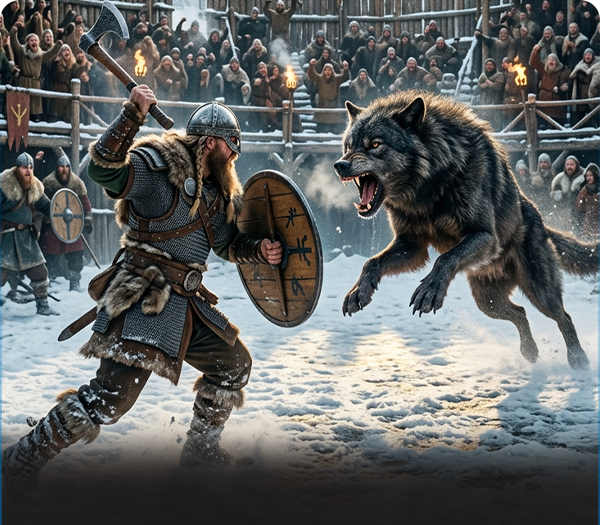
3D Animation and VFX
Professional Course
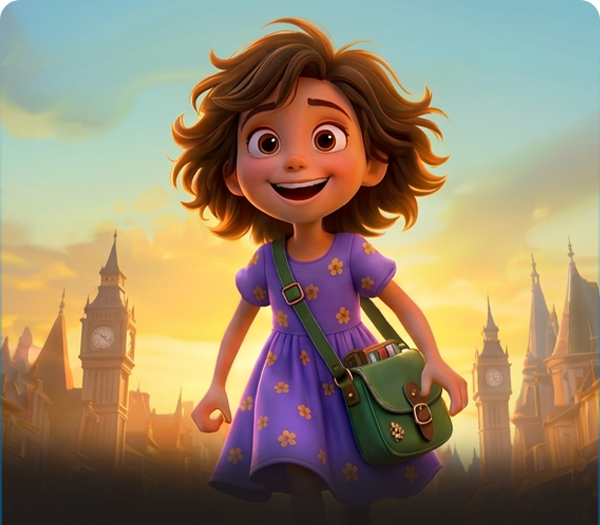
3D Animation
Advanced Course
VFX
Advanced Course
Video Editing
Expert Course
Graphic Design
Expert Course